この記事はまだ翻訳されていません。英語版を表示しています。
Let a friend help run your server without giving him your account
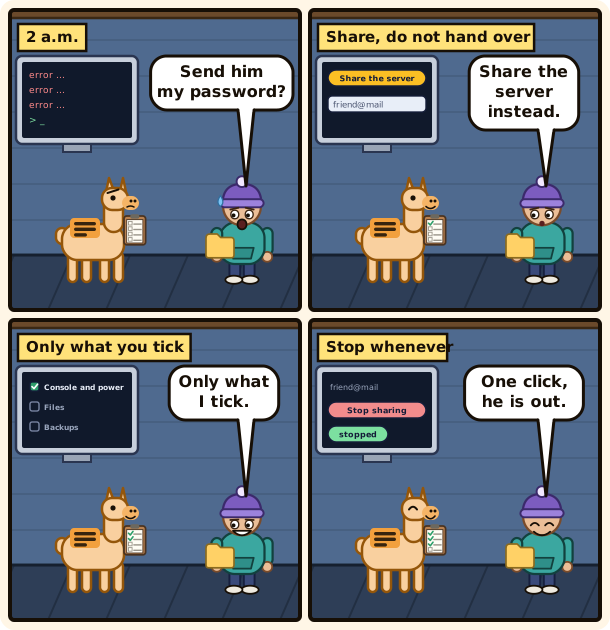
Sending a friend your password is the easy move. Sharing the server takes a minute more, and he only gets the rights you pick.
Share it in three steps
Open Access and co-admins in the menu of your server.
 The Access and co-admins tab before any sharing: Share the server is at the top right.
- Choose Share the server.
- Type his e-mail address. If he has no account yet, one is made and he is told about it.
- Tick what he may do, then Share it.
His own account does the rest. You never see his password and he never sees yours.
Pick rights, not a role
Rights come in groups: console and power, files, backups, databases and more, each right with a sentence. For a friend who restarts the server at night, console and power is enough.
Read the rights marked with a warning twice: downloading a backup gives access to every file, and restoring one replaces what is on the server.
You can only hand out what you hold yourself, and you cannot edit someone who holds rights you do not. The owner can always do everything.
Change your mind later
Each row has a menu to change what a person may do, or to stop sharing. Stopping removes the server from his list at once and cuts his SFTP session.
His account stays, nothing he put on the server is deleted, and you can share again whenever you want.
Who did what
The Activity tab lists what was done on the server, with the time of each action and, when a person did it, their name, so a mistake at two in the morning has a time and an author.
If someone's account is deleted later, the lines stay under "Deleted user", without his name, e-mail or IP address. For what happened inside the game, see knowing what happened on your server.