이 글은 아직 번역되지 않았어요. 영어 버전을 보여 드려요.
What's new on Alama this week: ranks from the panel, DarkRP in one click, and a clearer order page
If you run a game server, you know the feeling: a small job that should take a minute ends up costing an evening. You have to join the game just to change a player's rank. You get a pile of red lines in the console and no idea which add-on they come from. You wonder how many people were really online last night.
This week we worked on exactly that kind of job. Here is what changed in the game panel (panel.alama.host), in the shop, and on the site.
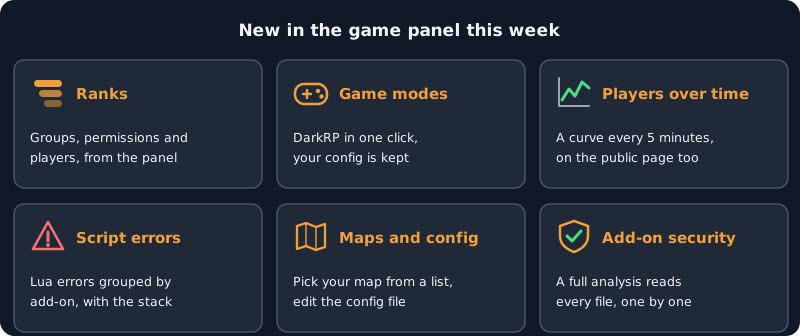
Change a player's rank without joining the game
A player has earned a promotion, and you are not at your computer. Most Garry's Mod admins know that day.
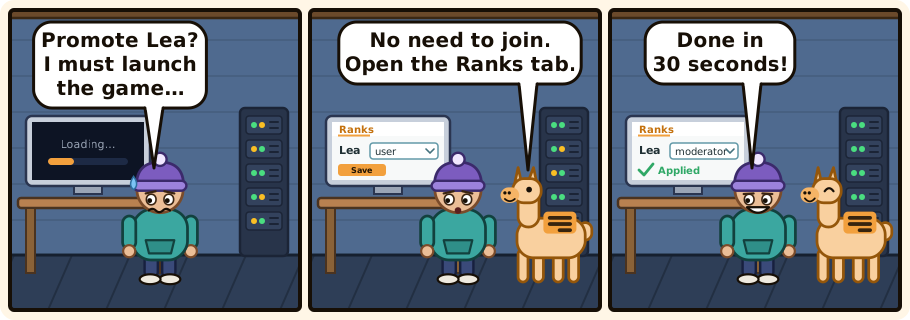
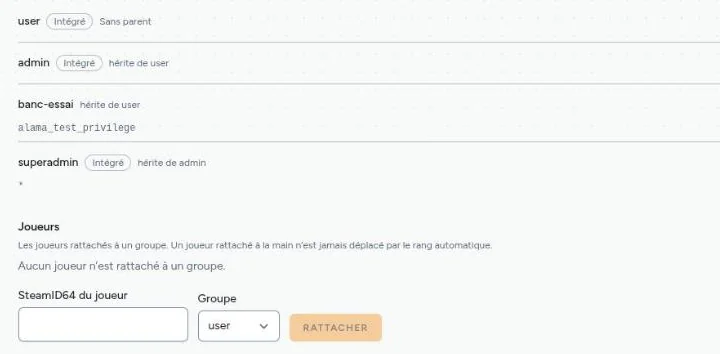
A new Ranks tab in the panel manages your groups, their permissions and their inheritance, and the group of each player, straight from the panel. You do not need to be in the game.
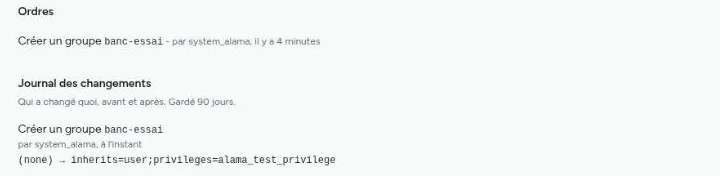
Changes reach the server in under 30 seconds, and the history keeps who changed what, with the value before and after.
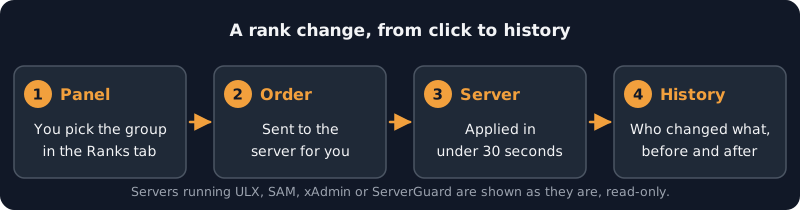
If your server already runs ULX, SAM, xAdmin or ServerGuard, the tab shows your groups as they are, read-only. We do not touch what another admin tool manages.
DarkRP in one click
The Extensions tab has a new Game modes category, and DarkRP is the first one in it. Before you confirm, the panel shows you its licence and its source, so you know what you are installing and where it comes from. Your darkrpmodification is never overwritten: what you configured stays yours.
See how many people play, over time
The status page of your server now draws a curve of the players online, sampled every five minutes. It appears on your own screen and on the public page, if you chose to publish it.
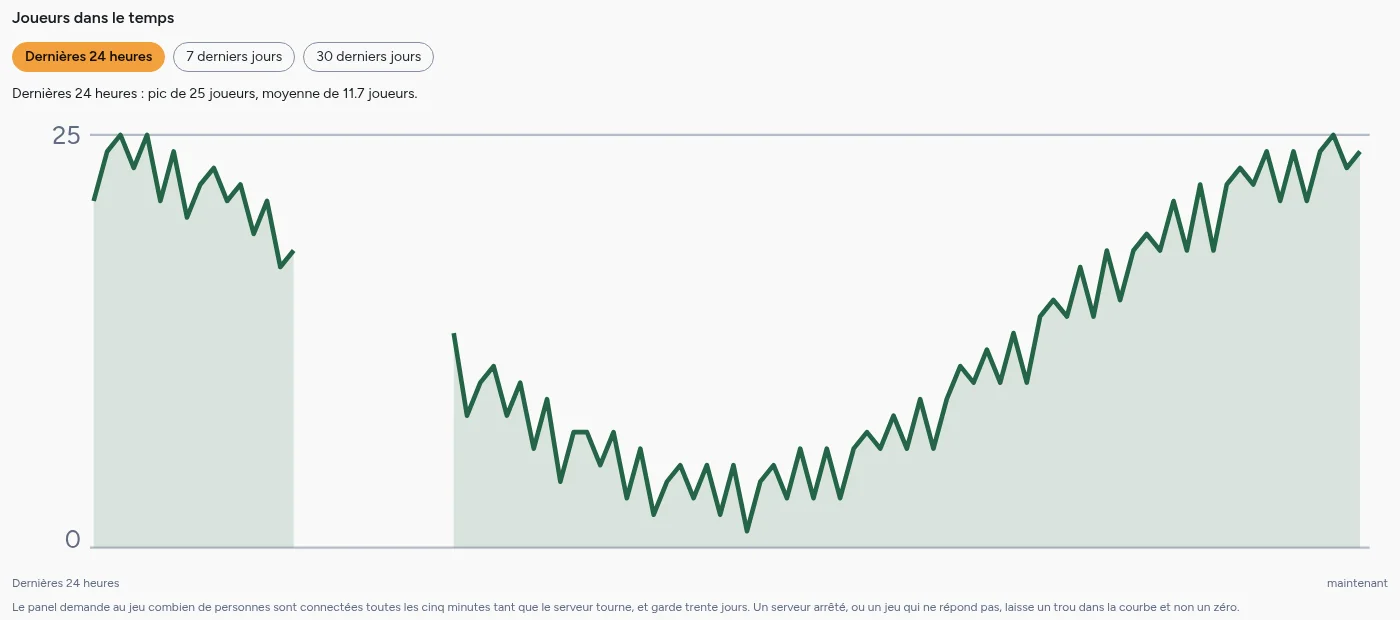
A stopped server, or a game that does not answer, leaves a gap in the curve, not a zero. A gap means "we do not know", and a zero would say something false. Click the picture to see it full size.
Script errors, sorted
Lua errors raised by your add-ons now arrive in a journal where they are grouped by add-on and counted, with the most frequent ones first, each with its full stack. When you have dealt with one, mark it as resolved, and the list gets shorter.
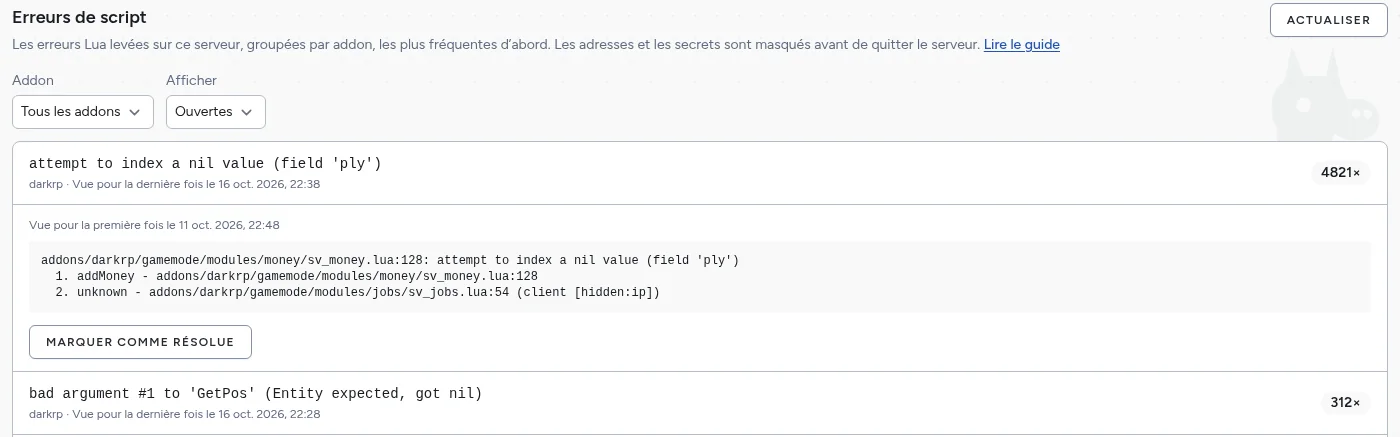
Addresses and secrets are masked before an error leaves your server, so you can share a screenshot of this list with an add-on author. Click the picture to see it full size.
Pick your map from a list
On a Garry's Mod server, the startup screen now offers the maps and the game modes that your server really has. You can still type any other name if you want one that is not in the list. A new Server config tab lets you edit the server's config file from the panel.
Updates keep your settings
When you update one of our extensions, your config.lua is put back, instead of being reset to the defaults. No more reconfiguring after an update.
Add-on security goes deeper
The Add-on security tab has a new button for a full analysis. It reads every file of your add-ons, one at a time, and tells you plainly whether everything was read, so you know what the result covers.
In the shop and on the site
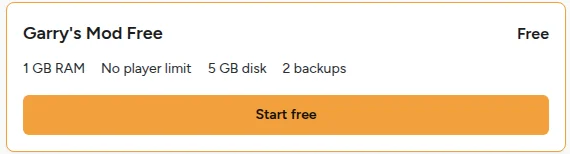
No player limit. No offer shows a player count any more. You set the slots yourself, within what your server's RAM and disk can carry.
A clearer order page. It now explains tier, RAM, disk, backups, Java and Bedrock in plain words, and names the server software once, instead of on every tier.

Write to us without an account. The contact form is now reachable from the help pages, the login page and the footer, even when you are not signed in. The footer also links to our support Discord.
Easier with a screen reader or a keyboard. Field errors are read aloud, the language list works from the keyboard, and links that open a new tab say so.
Terms in your language. The terms are now available in every language of the site, linked from the shop footer.
Three new guides on the blog
If you missed them, we published three guides on the blog recently:
- Browse the Steam Workshop from your game panel: search, browse or paste a link, and the panel checks the item before it saves anything.
- Which Minecraft server software to pick: Vanilla, Paper, Fabric, Forge or a modpack, in plain words.
- How free servers work, and why they are deleted after 7 quiet days: the rule, the reason, and how to keep yours.
Thanks for playing with us, and keep the reports coming. If something here does not work for you, write to us: we read everything.