Bu yazı henüz çevrilmedi, İngilizce sürümü aşağıda.
Knowing what happened on your server without installing five addons
It is Monday morning and you have a message from a player. He says he was banned on Saturday night for nothing, that the moderator had it in for him, and that he wants an answer today. You were not online on Saturday. The moderator says he was griefing. The chat of the server has scrolled away, and nobody remembers the time.
Every community that runs a server for long enough has this Monday. What decides whether it takes ten minutes or three days is whether the server kept a record, and whether you can read it.
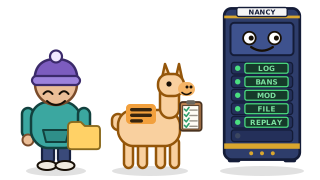
The usual answer: one addon per question
On most hosts the server is just a machine, so every question gets its own tool. A logger addon for joins and leaves. A ban manager, which is a different one for each game. Something to keep the chat. A way to look a player up. Then a spreadsheet, because the four tools do not talk to each other, and a search through files by hand when a player asks you to delete what you hold about him.
Each of these works. The cost is the sum: five installs, five configurations, five things to update when the game updates, and five places to look on a Monday morning. A small community usually ends up with two of them and a lot of guessing.
What the Activity tab keeps
On Alama the panel reads the server's console and keeps what it finds, in an In game part of the Activity tab. It is off until you turn it on. Once it is on, each line has a time, a type and the players it concerns:
- joins and leaves, so you know who was there;
- bans, unbans, kicks, mutes and operator changes, with who did what to whom, and the reason and duration when the game gives them;
- commands, if you tick them;
- chat, only if you turn it on. While it is off, the chat is not even read from the console.
It covers more than 30 games: Minecraft Java, Rust, Counter-Strike 2, Valheim, Terraria, ARK and many more. Not every game writes the same things to its console, so not every game gets every line. Garry's Mod, for example, only shows what ULX writes, which means the actions of administrators and not the joins or the chat. A handful of games write nothing usable at all, and the tab says so instead of staying silently empty. FiveM has no console to read, so it is the Alama resource you put on the server that keeps its log. The help page of the game log in the panel lists each game: check yours before relying on it.
Answering the player
Back to Monday. You open the Activity tab, find the ban line from Saturday night, and click the player's name. His file opens: first and last time seen, play time, how many bans, kicks and warnings he already has.
The part that settles most cases is below. For each sanction, the file shows what the player did in the 10 minutes before it: when he arrived, what he said, which commands he typed, whether he died or was sanctioned already. When more happened than fits, a button opens the replay, a timeline around that line, a hundred lines at a time, with the other players who were online at that moment.
In our example the file shows a player who arrived at 21:04, was warned for spam at 21:09, and was banned for griefing three minutes later by the same moderator. You answer him with times, not with an opinion. Maybe he is right and the ban was too long. Either way you have a conversation about facts.
Two cautions, because they matter. A report from another player is an accusation, not a proof, and the log is not one either: it is what the machine read or what the game's addon sent. And a visit is only counted when the log saw both its start and its end; when a server crashes, nobody writes a "left" line, so that visit is listed as "end not seen" and does not count in play time.
Acting from the same screen
The same player file has the buttons: kick, ban for 1 hour, 1 day, 7 days, 30 days or for good, unban, warn. Each one opens a window that says who it is about and what will happen, and nothing is done before you confirm. A reason fits on one line of up to 255 characters.
Each action has its own permission. You can let a trusted moderator warn and kick without banning, and without giving him the rest of your panel. If you run several servers of the same game, a shared ban group carries a ban or a pardon from one server to the others, for Steam games and for Minecraft: up to 10 groups of 25 servers each.
What you owe your players
The names and messages of your players are personal data, and you are the one who answers for them. Three habits keep that simple.
- Choose how long you keep it. The log keeps between 1 and 90 days, 30 by default, and older lines are deleted every night. A shorter period is easier to defend than a longer one.
- Keep only what you need. Chat and commands are off by default on purpose. A command line can carry a private message or a password; the panel cuts those commands down to their name before keeping them. IP addresses are never kept.
- Be able to answer a request. Under the list, one box takes a name or an identifier. It downloads everything the log holds about that player as a file, or erases it. Where he only appears as the administrator who acted (a ban he issued), the line stays and his name is removed from it.
Tell your players what you keep, in your rules or your welcome message. That is your duty and the panel cannot do it for you, but the help page of the game log in the panel has a ready sentence you can adapt. This is not legal advice: if you run a large or commercial community, ask someone qualified.
A game log is a habit, not a gadget
None of this requires a clever tool. It requires that the record exists before the Monday message arrives, and that reading it takes minutes. If your server already runs on Alama, turn the log on from the Activity tab and pick your number of days. If it does not, the questions above are worth asking of whatever you use now: who can read what happened last Saturday, and how long would it take?