Why Alama
What we add, on top of the server
A server is a machine that runs. A community needs more: knowing what happened, acting on it, and not rebuilding the same tools on every server. This is what the panel already does for you.
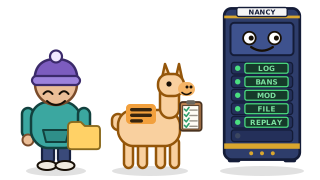
Know what happened on your server
The Activity tab keeps who joined, who left and who was sanctioned, in more than 30 games. You choose how long it keeps it, and your players keep their rights.
A game log, built into the panel
Joins, leaves, bans, kicks and, if you turn it on, the chat, in more than 30 games. You pick how many days it keeps (1 to 90), and IP addresses are never stored.
Elsewhere: a logging addon for each game, installed and kept up to date by you.
Your players' rights, built in
Export every line about a player as a file, or erase them, from one box. Chat and commands stay off until you tick them, and a command that carries a password is cut down to its name.
Elsewhere: a player's request means searching through files yourself.
What it does for your community
Moderate without opening the game
Kick, ban, unban and warn from a player's file, with a reason, a duration and a confirmation. Each action has its own permission, so a moderator you trust does not need your whole panel.
Elsewhere: a command typed in the console, or one ban plugin per game.
One ban, every server
Put your servers in a group: a ban or a pardon on one reaches the others, on Steam games and on Minecraft. Up to 10 groups of 25 servers.
Elsewhere: a multi-server ban plugin, configured on each server.
The whole story of a player
First and last seen, play time, sanctions, and what the player did in the 10 minutes before each one. The replay shows the minutes around any line, so you can judge a report you did not witness.
Elsewhere: scrolling through log files by hand.
One tab for what you add
The Extensions tab lists what can be added to your server for your game, with its state and its guide. The game log is included; the other extensions land there as they are released.
Elsewhere: a forum to browse, a download, and a licence to track for each addon.
Mods and plugins without FTP
Workshop, Thunderstore, Modrinth and the Factorio portal: the panel tells the server what to fetch and the server downloads the files itself.
Elsewhere: download, unzip, upload by FTP, restart.
A site builder for web offers
On the Nginx and Caddy web offers, build your pages from blocks in the panel and save them straight into your server's files, no code needed.
Elsewhere: a separate site builder, with its own account to manage.
And around the server
Open a server and look
It is the same panel on every server, the free Minecraft one included. See the games, or take the free one and judge for yourself.